
Pearland · 2027 buying guide
Allied Home Security leads our regional comparison for Pearland homeowners seeking a professionally installed system with equipment choices tailored to their needs and budget. Include Allied when comparing wired camera installation, entry protection and monitoring, then verify the specific installation and service available at your address.
A useful Pearland proposal should also distinguish security alerts, water-usage notifications and local flood information. They answer different questions. Understanding those differences can help you choose worthwhile additions, avoid paying for features you do not need and finish the city’s alarm-registration steps correctly.
Published by Keyper LLC on Allied Home Security’s website. Provider ratings, pricing and screenshots checked November 19, 2026; local sources reviewed for this 2027 guide.
Pearland home security companies: rankings and customer ratings
These are the same seven providers and scores used in our Greater Houston comparison, applied here to Pearland buying decisions. Ratings are calculated scores out of 10. Customer stars come from five Houston Google profiles and two national Trustpilot profiles, not separate Pearland review samples. Confirm service and equipment availability for your address. See how we score each company.
| Rank | Company | Rating | Customer rating | Best for | Monitoring price reviewed |
|---|---|---|---|---|---|
| #1 | Allied Home Security | 9.1 | 4.9/5500+ reviews · Google Houston headquarters |
Equipment choices & local service | $19.95/moCompatible-system monitoring |
| #2 | Smith Thompson | 8.2 | 4.9/5500+ reviews · Google Houston branch |
Basic systems without any bells or whistles | $16.95/moExisting-system monitoring |
| #3 | Vivint | 7.3 | 4.7/5500+ reviews · Google Official Houston service-area profile |
An easy-to-use app | $24.99/moAdvertised monitoring rate |
| #4 | Alert 360 | 7.1 | 4.7/5500+ reviews · Google Houston: W. Sam Houston Parkway |
Alarm.com system installations | $42.99/moInstalled Starter package |
| #5 | ADT | 6.6 | 4.2/5500+ reviews · Google North Freeway Houston office |
150+ years in business & deep Google integration | $59.99/moNest pro-install offer |
| #6 | SimpliSafe | 5.3 | 3.9/5500+ reviews · Trustpilot National brand profile |
Extremely Easy to setup. Best for apartments | $22.99/moStandard monitoring; hardware extra |
| #7 | Ring Alarm | 4.7 | 1.2/5500+ reviews · Trustpilot Ring US brand profile |
Self-monitoring with fully DIY setup | $19.99/moOptional Pro plan; hardware extra |
- Rating
- 5.3
- Customer rating
- 3.9/5500+ reviews · Trustpilot
National brand profile - Best for
- Extremely Easy to setup. Best for apartments
- Monitoring price reviewed
- $22.99/moStandard monitoring; hardware extra
- Rating
- 4.7
- Customer rating
- 1.2/5500+ reviews · Trustpilot
Ring US brand profile - Best for
- Self-monitoring with fully DIY setup
- Monitoring price reviewed
- $19.99/moOptional Pro plan; hardware extra
Prices cover different offers: existing-system monitoring, installed packages and DIY subscriptions. Equipment, installation, video recording and agreement requirements vary. ADT’s price is the reviewed Nest installation offer, not its cheapest DIY plan.
Choose water alerts that complement your security system
Check the utility service you already have
Pearland Water customers can use the city’s Customer Experience Portal to review usage and configure leak, high-use and unplanned-use notifications. The city describes email, text and phone notification options. This is a useful starting point before buying another service marketed as whole-home water monitoring. First confirm that your water account is with Pearland Water; a Pearland mailing address alone does not establish eligibility.
Our recommendation is to list what you want to know. Unexpected consumption while you are away is one question. Water reaching the floor beside a washing machine is another. Ask any security bidder offering a water sensor to explain exactly what that device detects, who receives its alert and whether professional monitoring is part of that response. Avoid treating all products labeled “water protection” as equivalent.
Put each alert in the correct part of the quote
| Question you want answered | Resource or equipment to compare | Buying check |
|---|---|---|
| Is my city-metered water use unexpected? | Pearland Water portal, if you are a customer | Set useful notification preferences before adding a paid service |
| Has water reached a particular indoor location? | A compatible point water sensor | Specify location, recipient, maintenance and included response |
| What is the flood context for this property? | The city’s floodplain resources and official warnings | Keep public information separate from an individual device’s alerts |
The third row matters because Pearland provides property flood information and mapping resources. Use them for address-specific research. A security sensor or a camera view is not a substitute for those resources, and the presence of a sensor should not be presented as flood prevention. Ask the installer to describe a device’s limits in plain language.
For a household planning a trip, this becomes a practical exercise: set the utility notification appropriate to your account, test any purchased sensor using the manufacturer’s procedure, and decide who can act on a message. If you use a property manager, establish the access arrangement before departure. A notification that reaches an unattended phone is not a complete response plan.
Keep the core security plan easy to compare
Water-related options should not obscure the main installation. Have each company list the exterior openings protected, proposed camera views and equipment being reused. In an existing home, ask for a test of each retained contact instead of assuming that an old keypad proves the entire system is usable. In a new installation, mark proposed camera locations on a floor plan and identify how cables will reach them.
Ask for a core-system quote and a separately itemized options list. That lets you decide whether your next dollar belongs in another entry sensor, a more useful camera position or an environmental alert. Allied’s equipment breadth is useful when these choices are designed around the property; the final value depends on the actual specification, installation work and ongoing service you select.
How we calculate the rankings
Each category has equal weight. These editorial comparison scores reflect published information, not hands-on equipment tests.
- 10points
Customer rating
We double the selected five-star customer rating to put it on a ten-point scale.
- 10points
Equipment & services
We assign editorial scores based on documented equipment options and services for homes and businesses.
- 10points
Pricing
We divide the lowest reviewed monthly rate by each provider’s reviewed rate, then multiply by ten.
- 10points
Local support
We assign editorial scores using documented Houston headquarters, offices and local installation/service presence.
Selection rules, sources and scoring limits
Customer ratings: We use an official-linked or address-matched Houston Google profile. Where official pages list multiple Houston offices, we select the verified profile with the most reviews, not the highest stars. For ADT, that is North Freeway. Smith Thompson’s branch profile includes other services, including pest control.
SimpliSafe and Ring use national Trustpilot profiles because we could not verify comparable Houston Google profiles. Ring’s profile covers more than Ring Alarm. Different platforms and customer groups are not equivalent samples; the labels stay attached to each rating. Selected review examples illustrate experiences, not a representative survey.
Equipment: Keyper assigns scores informed by documented alarms, cameras, smart-home controls, recording options, installation and business services. The capability comparison shows available options; the score is an editorial assessment, not a fixed points-per-feature formula or a hands-on product-quality test. Options across residential and business offerings need not be included in the displayed plan.
Pricing: The calculation is $16.95 ÷ the reviewed monthly rate × 10, capped at ten. We apply it to every company without overrides. It measures the selected monitoring rate, not total ownership cost or identical coverage. Upfront costs and plan conditions appear in each breakdown.
Local support: Keyper assigns these scores for documented local presence: Allied 9; Smith Thompson and Alert 360 7; ADT and Vivint 5; SimpliSafe and Ring 0. These are editorial ratings, not measured response times or service-quality results. Exact overall ties are ordered by equipment score, customer rating, then lower monitoring price. All inputs were checked November 19, 2026 and may change.
Equipment options: what is actually different?
Compare camera connections, who installs the equipment and where footage is stored. Wired power and wired video are different: a camera can have a power cable and still rely on Wi-Fi for its video connection.
Swipe horizontally to compare all columns →
Equipment and installation details link to each provider’s official pages. Specialty systems, camera recording plans and installation charges vary by package.
Our top recommendation
Allied Home Security
Broad equipment choices and professionally installed wired cameras
How this company earns its points
Equipment & services: 9/10, assigned by Keyper. The documented equipment and services below inform this editorial score.
Home and commercial installations, multiple panel families, PoE/IP cameras, DVR/NVR recording and access control support tailored configurations. Equipment/recording source · Service scope source.
Pricing: $19.95/month. Compatible existing alarm required. New equipment and camera services are extra; confirm takeover eligibility. Score: 8.5/10.
Local support: 9/10. Headquarters: Houston, Texas. Both Houston headquarters and local installation/service are documented.
The good
- Locally Houston headquartered company with great reviews
- Offers solutions for home, small business & enterprise customers
- Broad equipment selection, including professionally installed and configured wired camera systems.
- Offers no-contract options.
The drawbacks
- The $19.95 starting offer requires a compatible existing alarm system; new equipment and cameras can change the price.
- Getting a quote or scheduling installation requires a phone conversation; instant online quotes are not available.
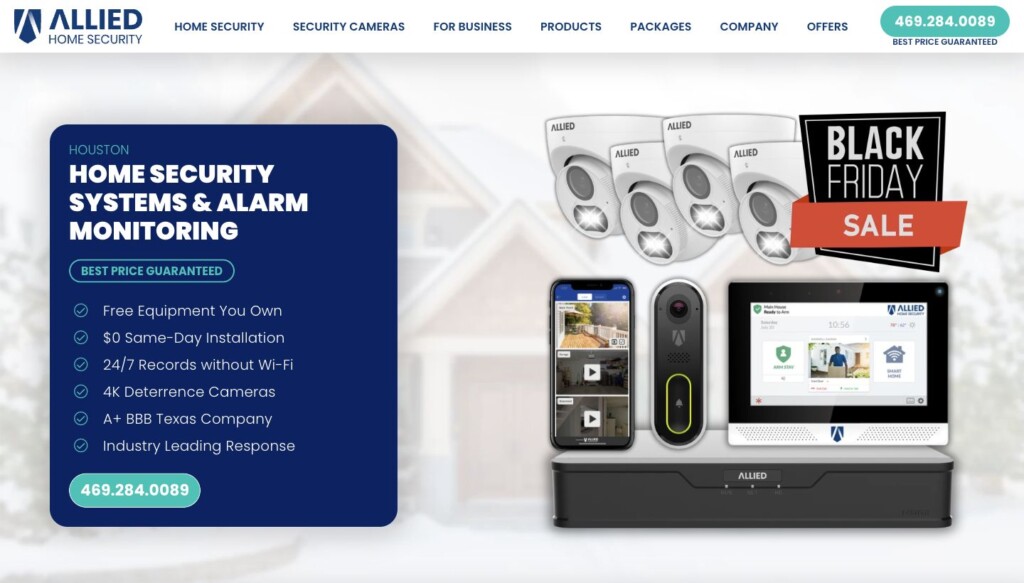
Equipment choice and professional installation are Allied’s biggest differentiators. Allied installs and sets up wired PoE/IP cameras, DVR/NVR recording and remote viewing for homes and businesses. Camera placement, wiring, storage and controls are tailored to the property’s coverage needs and budget.
Its equipment selection also spans alarm panels, sensors, automation and specialized cameras. Allied can design a new installation or upgrade a compatible existing system, with a written equipment list and coverage plan.
What Allied customers praise on Google
In selected positive reviews, Victoria Cheney praised a respectful installer and thorough explanations. Tiwana Fuselier praised patient camera installation and checks that everything worked. These examples help explain what to ask for at your own installation.
Why Allied ranks first
Allied combines a strong Houston customer rating, broad equipment choices, professional wired-camera installation and Houston headquarters with a competitive compatible-system monitoring rate. That combination leads this formula; a buyer focused only on the lowest monthly bill could choose differently.
Smith Thompson
A monitoring alternative for existing systems
How this company earns its points
Equipment & services: 6/10, assigned by Keyper. The documented equipment and services below inform this editorial score.
Alarms, Wi-Fi cameras and smart-home upgrades are available. Light-commercial service covers properties up to 4,000 square feet. Equipment/recording source · Service scope source.
Pricing: $16.95/month. Plan 1 monitoring for a compatible existing system, plus $89 one-time cost. App arm/disarm and notifications require the $21.95 Plan 2. Score: 10/10.
Local support: 7/10. Headquarters: Plano, Texas (Dallas–Fort Worth). A Houston-area office or service location is documented; headquarters are outside Houston. Local address: 5100 Westheimer Rd, Suite 200, Houston, TX 77056. Houston location source.
The good
- Basic monitoring starts at $16.95/month, with no long-term monitoring contract.
- Professional installation, compatible-system takeovers, cameras and smart-home upgrades are available.
The drawbacks
- Charges upfront for equipment.
- Entry plans reuse existing panels; a new touchscreen system costs extra.
- Limited equipment and service options for larger or more complex commercial properties.
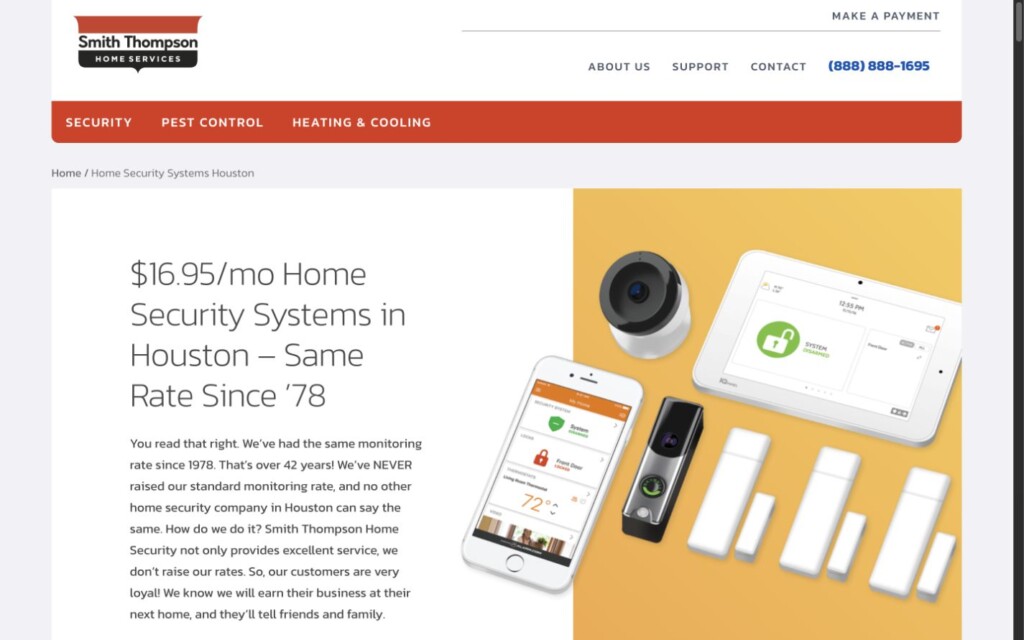
The clearest fit is a compatible existing alarm needing inexpensive monitoring. Its $16.95 Plan 1 has an $89 one-time cost; phone arm/disarm and notifications move you to the $21.95 plan. New touchscreen systems and cameras cost more.
Ask before signing: Which panel and sensors can stay, what does app control cost, and which camera or service upgrades require upfront payment?
Vivint
Integrated cameras and smart-home controls
How this company earns its points
Equipment & services: 8/10, assigned by Keyper. The documented equipment and services below inform this editorial score.
Alarms, cameras, automation and local recording are available. Current Playback stores footage inside compatible cameras. Equipment/recording source · Service scope source.
Pricing: $24.99/month. Advertised starting rate; regular HomeProtect terms list $29.99/month, $349.99 equipment and $199 installation. Confirm the promotion and your final price. Score: 6.8/10.
Local support: 5/10. Headquarters: Lehi, Utah. A Houston-area office or service location is documented; headquarters are outside Houston. Local address: 2807 Gulf Freeway, Suite A, Houston, TX 77003. Houston location source.
The good
- Professional installation brings alarms, cameras and smart-home controls together in one system.
- Offers a PoE-to-bridge outdoor camera and continuous recording inside compatible cameras.
The drawbacks
- Equipment, installation and monitoring are separate costs.
- Higher video plans can add monthly camera fees.
- The advertised starting monitoring rate differs from regular terms; confirm your actual rate.
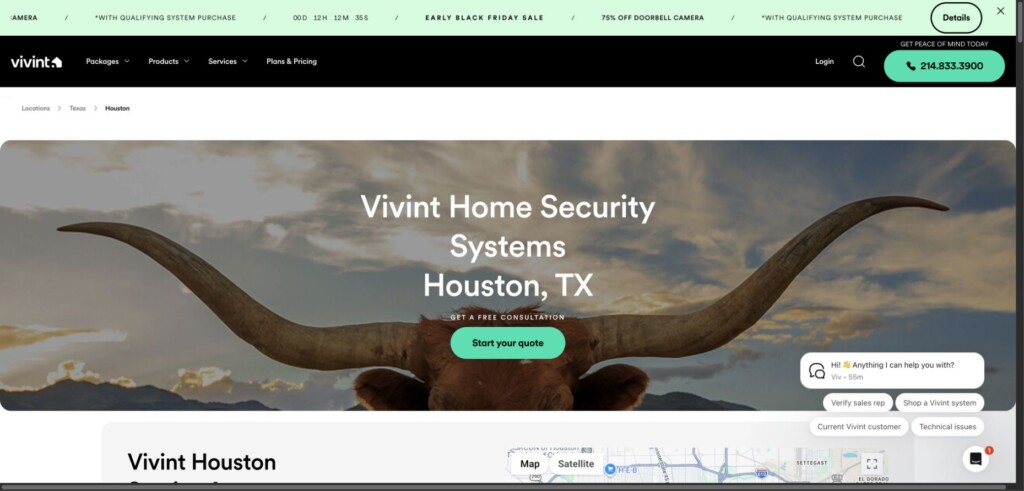
Vivint brings alarms, cameras and automation into one managed system. The Outdoor Camera Pro 3 uses PoE to an indoor bridge that connects through Wi-Fi. Current Playback stores continuous video inside compatible cameras, rather than in a conventional standalone DVR.
Ask before signing: Get the equipment price, monitoring rate and camera fees separately. Financing and monitoring are separate agreements; confirm what remains payable if monitoring ends.
Alert 360
Professional service for home and business needs
How this company earns its points
Equipment & services: 8/10, assigned by Keyper. The documented equipment and services below inform this editorial score.
Home and business alarms, cameras, smart-home controls, local CCTV recording and access control are available. Equipment/recording source · Service scope source.
Pricing: $42.99/month. Starter package adds $315 for equipment and installation; 36-month agreement and approved credit required. Cameras are not in its listed equipment. Score: 3.9/10.
Local support: 7/10. Headquarters: Tulsa, Oklahoma. A Houston-area office or service location is documented; headquarters are outside Houston. Local address: 6650 W Sam Houston Pkwy N, Suite 400, Houston, TX 77041. Houston location source.
The good
- Has a Houston service office and a 4.7/5 customer rating on Google from 1,546 reviews for that branch.
- Offers professionally installed home security, smart-home controls and continuous local CCTV recording.
The drawbacks
- The reviewed Starter package costs $42.99 per month.
- The same offer adds $315 for equipment and installation.
- That offer requires a 36-month agreement and approved credit.
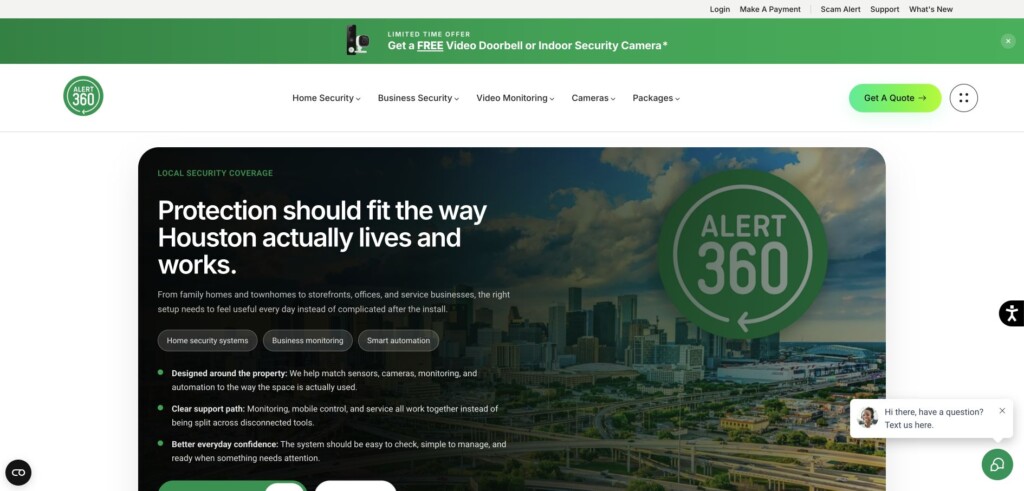
The Starter offer reviewed is $42.99/month plus $315 for equipment and installation, with a 36-month agreement. It lists a touchscreen panel, motion detector and three door/window sensors; cameras require a different or expanded quote.
Ask before signing: Get the Alarm.com equipment models, camera-recording plan, renewal rules and service-call charges in writing.
ADT
A national provider with distinct professional and DIY systems
How this company earns its points
Equipment & services: 10/10, assigned by Keyper. The documented equipment and services below inform this editorial score.
ADT Business documents on-site video storage and access control. These business options are separate from the residential Nest offer used for the price score. Equipment/recording source · Service scope source.
Pricing: $59.99/month. Google Nest professional-installation offer. Minimum $599 purchase after promotion; 36-month Texas agreement, AutoPay and new-customer eligibility. Phone offer expires February 8, 2027. Score: 2.8/10.
Local support: 5/10. Headquarters: Boca Raton, Florida. A Houston-area office or service location is documented; headquarters are outside Houston. Local address: 11710 North Fwy, Houston, TX 77060. Houston location source.
The good
- Offers both DIY systems and professionally installed security, with Houston service offices.
- Current business options include video surveillance, on-site recording, access control and multiple-location management.
The drawbacks
- The reviewed Nest offer requires at least $599 in purchases after the promotion.
- It requires a 36-month monitoring agreement in Texas.
- Early cancellation may cost 75% of remaining monitoring charges.
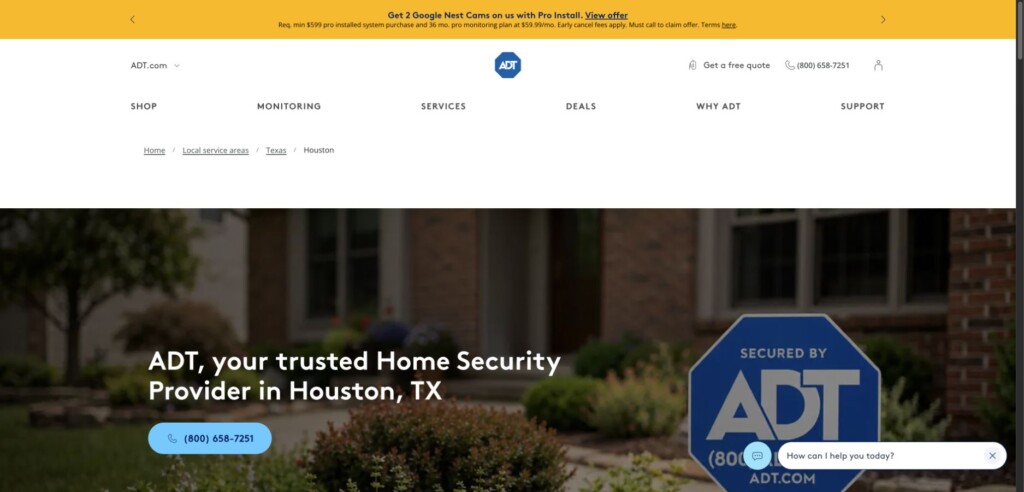
The price shown is a Google Nest professional-installation offer: $59.99/month with a minimum $599 purchase after promotion, a 36-month Texas agreement and AutoPay. New customers must call; the offer expires February 8, 2027. ADT also sells other plans. ADT Blu is a separate DIY system that doesn’t offer Google Nest Cam compatibility.
Ask before signing: Which Nest devices and recording features are included, what is the complete installed cost, and what would cancellation cost after one year?
SimpliSafe
DIY installation with flexible monitoring
How this company earns its points
Equipment & services: 6/10, assigned by Keyper. The documented equipment and services below inform this editorial score.
Alarms, cameras and smart-home integrations are available for homes and businesses. Equipment/recording source · Service scope source.
Pricing: $22.99/month. Standard professional monitoring; equipment extra. Camera live view is included, but recorded history requires a higher plan. Score: 7.4/10.
Local support: 0/10. Headquarters: Boston, Massachusetts.
The good
- Professional monitoring starts at $22.99/month without a long-term contract.
- DIY setup and optional paid professional installation suit different budgets and comfort levels.
The drawbacks
- The $22.99 Standard plan doesn’t offer recorded camera history.
- All SimpliSafe cameras require Wi-Fi for their video connection.
- Professional installation costs extra.
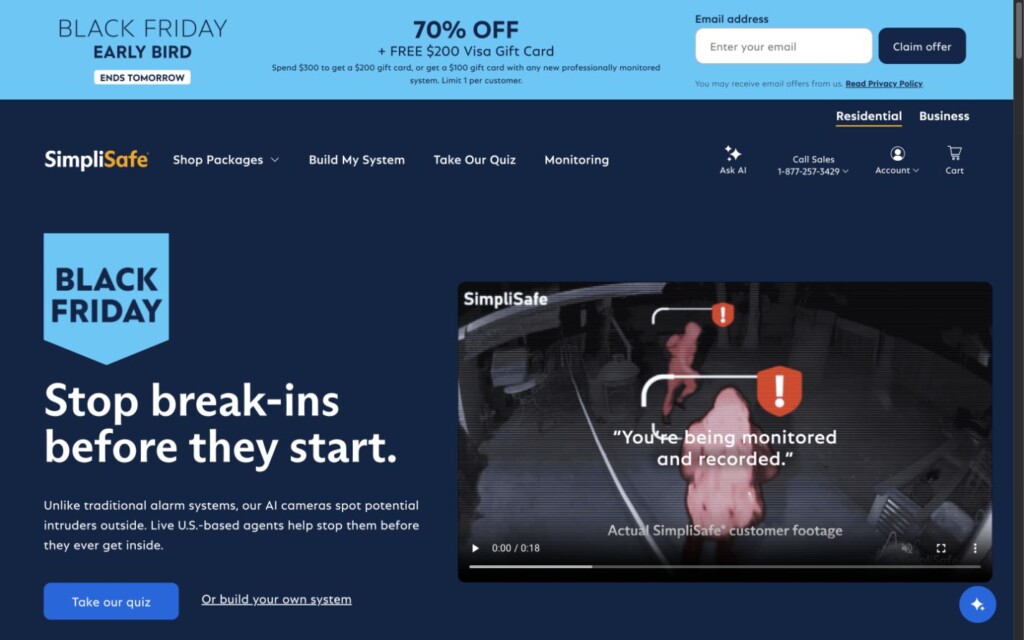
The $22.99 Standard plan includes professional monitoring and camera live view, but no recorded camera history. Core with recordings is $32.99/month. Paid professional setup is available if you prefer help positioning the equipment.
Ask before buying: Which monitoring tier supplies your camera features, and does Wi-Fi reach each mounting point? If paying for installation, confirm the appointment separately.
Ring Alarm
A DIY option for existing Ring households
How this company earns its points
Equipment & services: 8/10, assigned by Keyper. The documented equipment and services below inform this editorial score.
Alarms, cameras, smart-home controls and Ring Edge local storage are available. Elite 4K PoE cameras do not gain Ring Edge compatibility. Equipment/recording source · Service scope source.
Pricing: $19.99/month. Optional Ring Pro subscription; compatible hardware, enrollment and tax are extra considerations. This is the monitored option, not a requirement to operate the alarm locally. Score: 8.5/10.
Local support: 0/10. Headquarters: Hawthorne, California.
The good
- The $19.99/month Pro plan supports professional monitoring with compatible Ring Alarm hardware and enrollment.
- Offers PoE cameras and optional local Ring Edge recording for compatible devices.
The drawbacks
- Ring Edge local storage requires Alarm Pro, microSD storage, a qualifying plan and compatible cameras.
- Ring Edge does not support 2K/4K cameras.
- Ring doesn’t offer smoke or carbon-monoxide monitoring for commercial addresses.
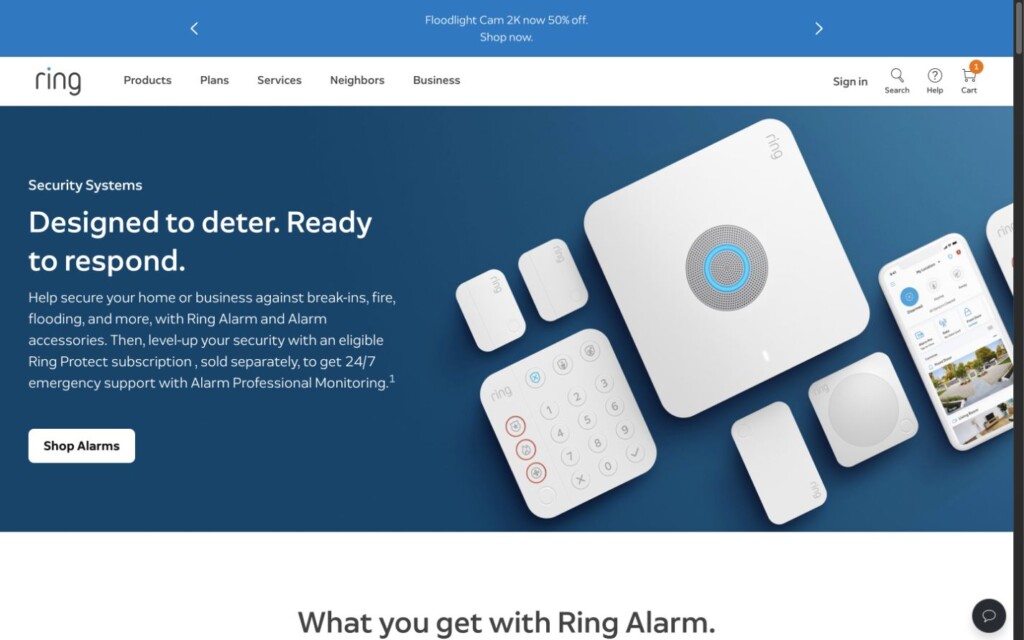
Self-monitoring needs a plan check: Ring’s plan guidance says an unsubscribed alarm can use its keypad and siren but has no digital notifications or emergency response. The price in the table is the optional professionally monitored Pro plan, with enrollment required.
Ring now offers Elite 4K PoE cameras. Do not assume they work with Ring Edge: its local microSD recording excludes 2K/4K video.
Ask before buying: Which subscription supplies the notifications and recordings you need? Alarm cellular backup and Alarm Pro’s backup internet are different features.
Compare the full cost of your security system
Compare written quotes for the same coverage over the same period. A monitoring-only takeover and a new alarm with cameras are different purchases, even when both advertisements lead with a monthly price.
Total cost = equipment + installation + monitoring + video services + financing interest and fees + other required charges.
Count the equipment cost once. If you use the total of the equipment-loan payments, do not add the purchase price again; if you use the purchase price, add only the loan’s interest and fees. Include taxes and required permits, and identify possible repair, moving, and cancellation charges separately.
Copy this checklist into your quote request
- Equipment: List model numbers, quantities, ownership, protected openings, and any existing devices that will be reused.
- Installation: Itemize labor, wiring, activation, and appointment charges.
- Monitoring: State the normal monthly price, promotion end date, included services, and possible increases.
- Cameras: Specify event clips or continuous recording, storage duration, subscriptions, and how footage can be exported.
- Agreement: Show the initial term, renewal rules, cancellation notice, early-exit costs, and moving policy. Separate equipment financing from monitoring obligations.
- Service: Explain warranty exclusions, labor and battery charges, and who handles repairs.
The FTC’s home-security buying guidance recommends written estimates and careful review of service terms. Put verbal promises in the agreement.
Verify the address, then update the right alarm record
Pearland’s Economic Development Corporation explains that the incorporated city extends into Brazoria, Harris and Fort Bend counties. County name alone therefore does not decide whether the city’s alarm process applies. Use the city’s interactive property-map guidance and confirm an uncertain boundary with the relevant city or county office. The official local-government overview also distinguishes city limits from the surrounding extraterritorial jurisdiction.
The city’s Register Your Alarm page directs residents and businesses to register burglar alarms. It specifically says that changing alarm companies calls for an account update, not a duplicate registration. Eligible accounts may extend automatically under the city’s stated conditions, so review the existing record rather than creating another account simply because a renewal date approaches.
Before monitoring begins, reconcile the address and unit number, account holder, company details and emergency contacts. If you inherited equipment when buying a house, ask the city how the previous occupant’s record should be handled; do not assume their account transfers to you. Ask your provider to include user training and the false-alarm cancellation procedure in the handover. Keep confirmation of the completed registration or update with your monitoring agreement.
Pearland home security FAQs
Does a Pearland mailing address automatically use Pearland’s alarm permit?
No address should be assigned a permit office solely from its postal city. Pearland spans three counties, and the surrounding area includes land outside city limits. Start with the city’s property-map resources, then confirm the alarm-site jurisdiction when the boundary is unclear. Give the provider the full physical address and unit number so its quote, monitoring record and permit information refer to the same property.
Should I register again when I change Pearland alarm companies?
The city says to update the existing account, rather than register the address twice. Confirm the new company and contact details through the city’s listed update channels. Also ask the incoming company when monitoring responsibility changes and when the old service ends. Updating the permit record and changing a monitoring contract are separate tasks; completing one does not automatically prove the other is finished.
Can Pearland Water alerts replace a security-system leak sensor?
They serve different purposes. The city portal offers usage-related notifications for Pearland Water accounts. A proposed point sensor should be evaluated for the particular place and condition it detects. Ask the installer to explain that detection method and demonstrate the alert. Compare the information you need before deciding whether to use both; neither service should be assumed to provide an automatic water shutoff.
What should an installer check before reusing my existing Pearland alarm?
Request a written inventory of the panel, contacts and other devices that will remain, along with a compatibility and functional check. Have the company identify equipment it cannot support and explain what replacement changes in your quote. Separately confirm the city account holder and provider details. Reusing sound equipment can be a sensible design choice, but its condition and the ownership of an old monitoring account should be verified independently.
How can I prepare security alerts before leaving my Pearland home for a trip?
Test the alarm and any camera or environmental notifications using the provider’s approved procedure, choose a reachable local contact and confirm how that person can gain access. Eligible Pearland Water customers can also review the portal’s unplanned-use option. Keep official flood and emergency information available separately. Ask what remains operational if internet or power is unavailable, and make sure the answer covers the cameras as well as the alarm panel.
Built around your home
A security system tailored to your Pearland property
Tell Allied what you want to protect, how you want your system to work, and the budget you have in mind. Compare sensors, camera coverage, recording, and smart-home options with a team that can design and install your system.
Ask for a written equipment and service breakdown, then use this guide to compare the details.
Explore Allied’s Pearland security services and bring the local checklist above to your quote conversation. Ask which existing devices can be reused, where cameras will be installed, and what the complete system will cost.
Customer experiences are attributed reports, not independently proven performance results. Confirm current prices, equipment, subscriptions, and official permit requirements before purchasing.